Performance improvements
Kohei Watanabe and Stefan Müller
Source:vignettes/pkgdown/benchmarks_xptr.Rmd
benchmarks_xptr.RmdOverview and benchmarking approach
quanteda version 4.0 can process textual data
significantly faster than its earlier versions thanks to the
tokens_xptr object and a new glob pattern matching
mechanism. More information on the features and advantages of the new
xptr object are available in a separate vignette.
How we performed the comparison: we compare the tokens
and tokens_xptr on a Windows desktop with Core i7 processor
(20 cores). We used sentences from 6,000 English-language news articles
in this benchmarking.
We repeated the same operation on tokens and
tokens_xptr objects to get the distribution of execution
time. The result shows that operations on the new object is
significantly faster than on the old object.
library("quanteda")
library("ggplot2")

# create text corpus
corp <- corpus_reshape(data_corpus_guardian)

# tokenize corpus
toks <- tokens(corp, remove_punct = FALSE, remove_numbers = FALSE,
               remove_symbols = FALSE)

# transform tokens object to tokens_xptr object
xtoks <- as.tokens_xptr(toks)

ndoc(xtoks) # the number of sentences
## [1] 202011
sum(ntoken(xtoks)) # the total number of tokens
## [1] 5177518
Modifying tokens objects
as.tokens_xptr() is inserted before functions calls to
deep-copy the original object. This is necessary only to repeat the same
operation in benchmarking, so the performance advantage of the
tokens_xptr object is even greater in actual projects.
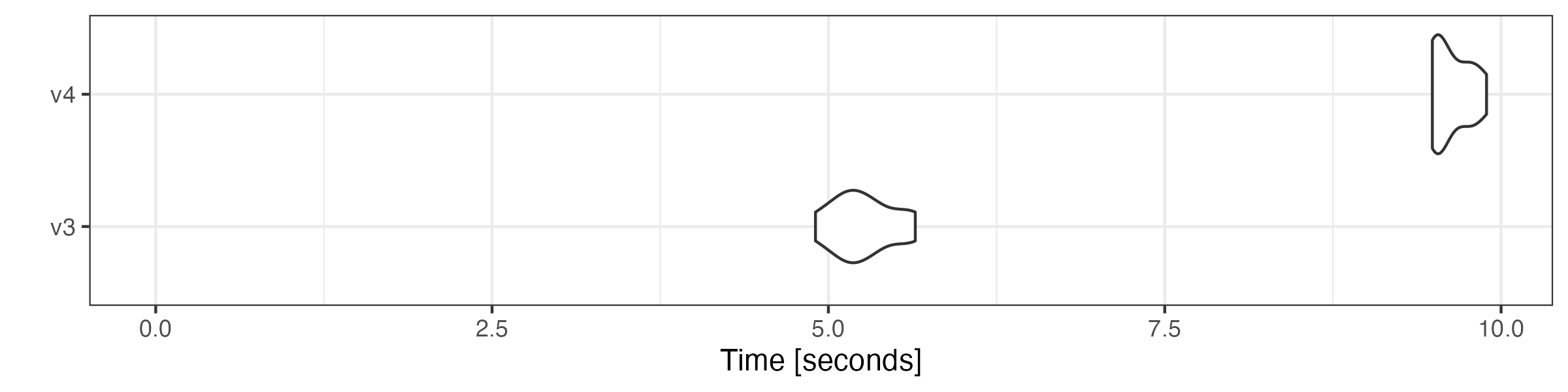
# generate n-grams
microbenchmark::microbenchmark(
    tokens = tokens_ngrams(toks),
    tokens_xptr = as.tokens_xptr(xtoks) |>
        tokens_ngrams(),
    times = 10
) |> autoplot(log = FALSE)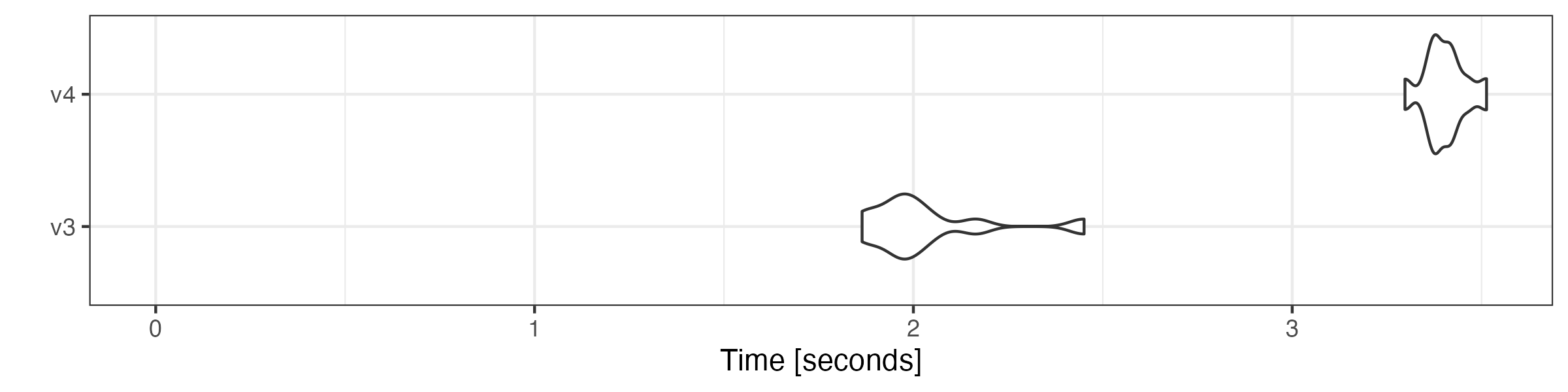
# lookup dictionary keywords
microbenchmark::microbenchmark(
    tokens = tokens_lookup(toks, dictionary = data_dictionary_LSD2015),
    tokens_xptr = as.tokens_xptr(xtoks) |>
        tokens_lookup(dictionary = data_dictionary_LSD2015),
    times = 10
) |> autoplot(log = FALSE)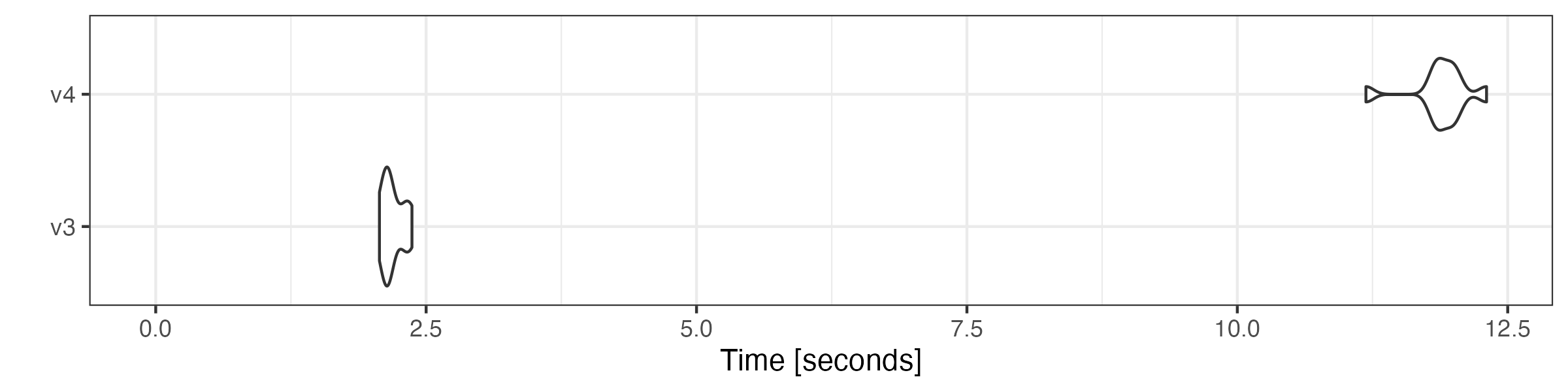
# remove stop words
microbenchmark::microbenchmark(
    tokens = tokens_remove(toks, pattern = stopwords("en"), padding = TRUE),
    tokens_xptr = as.tokens_xptr(xtoks) |>
        tokens_remove(pattern = stopwords("en"), padding = TRUE),
    times = 10
) |> autoplot(log = FALSE)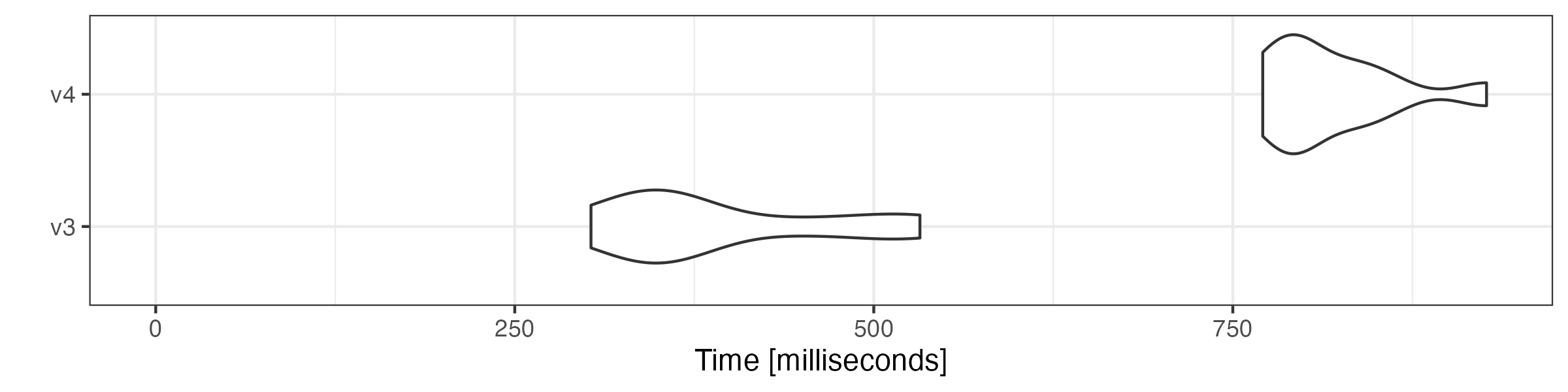
# compound tokens
microbenchmark::microbenchmark(
    tokens = tokens_compound(toks,  pattern = "&", window = 1),
    tokens_xptr = as.tokens_xptr(xtoks) |>
        tokens_compound(pattern = "&", window = 1),
    times = 10
) |> autoplot(log = FALSE)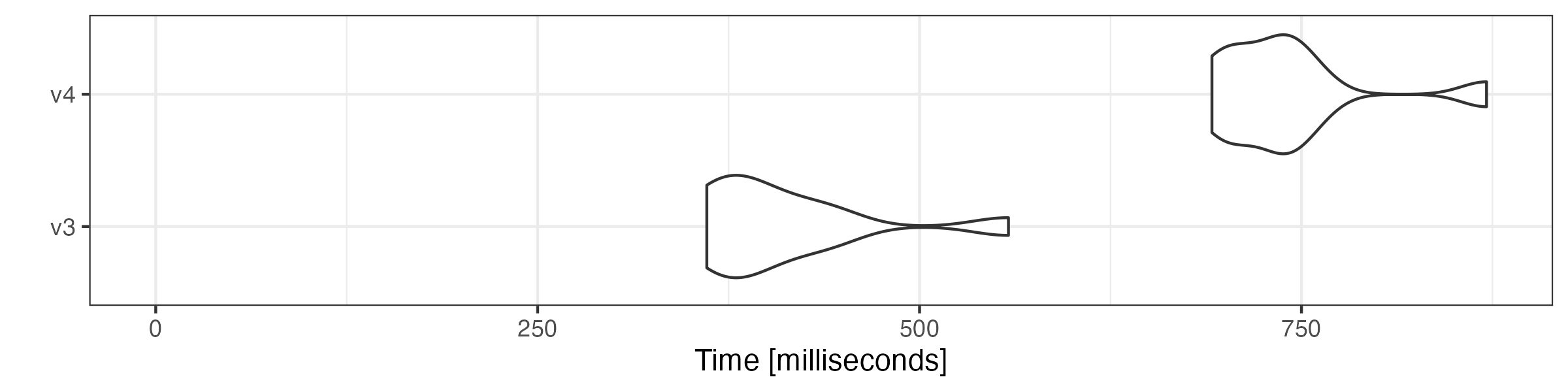
# group sentences to articles
microbenchmark::microbenchmark(
    tokens = tokens_group(toks),
    tokens_xptr = tokens_group(xtoks),
    times = 10
) |> autoplot(log = FALSE)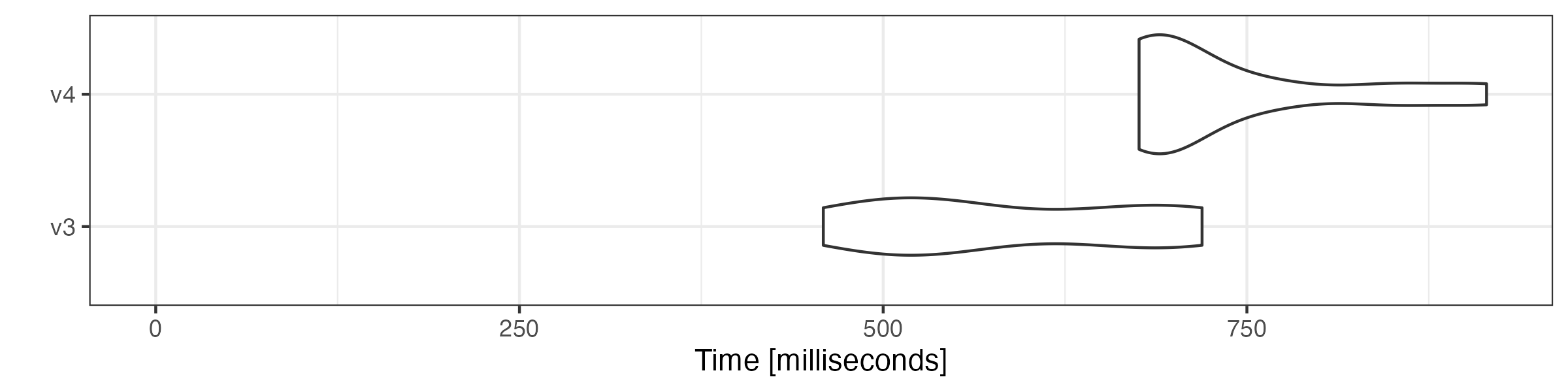
Combining tokens objects
Combining tokens objects using c() is also substantially
faster.
# get first 5000 documents
toks1 <- head(toks, 5000)

# get last 5000 documents
toks2 <- tail(toks, 5000)

# transform both objects to tokens_xptr objects
xtoks1 <- as.tokens_xptr(toks1)
xtoks2 <- as.tokens_xptr(toks2)

# combine tokens objects
microbenchmark::microbenchmark(
    tokens = c(toks1, toks2),
    tokens_xptr = c(xtoks1, xtoks2),
    times = 10
) |> autoplot(log = FALSE)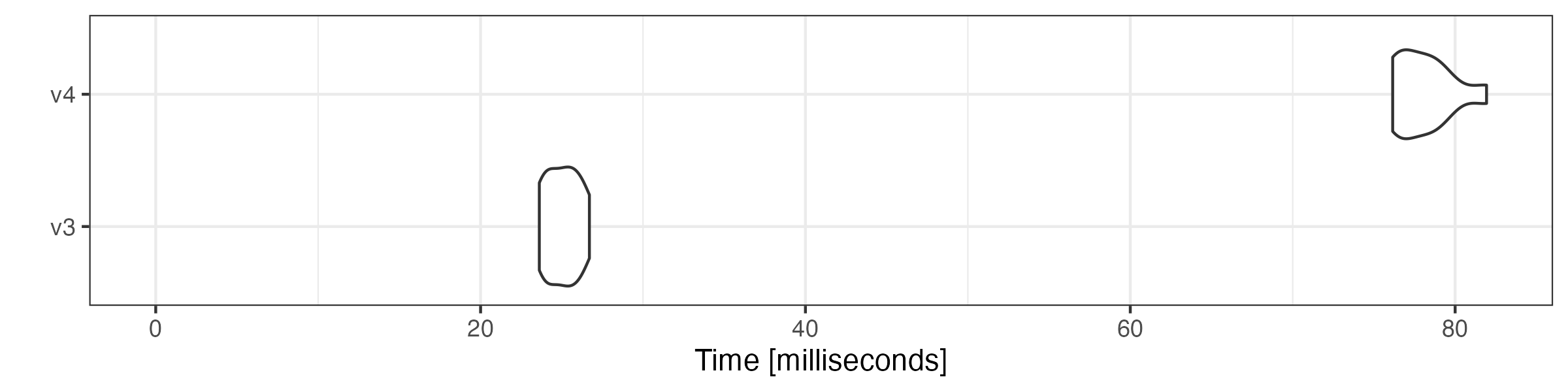
Constructing a document-feature matrix
We also compare the speed of constructing a document-feature matrix (DFM) using tokens objects.
microbenchmark::microbenchmark(
    tokens = dfm(toks),
    tokens_xptr = dfm(xtoks),
    times = 10
) |> autoplot(log = FALSE)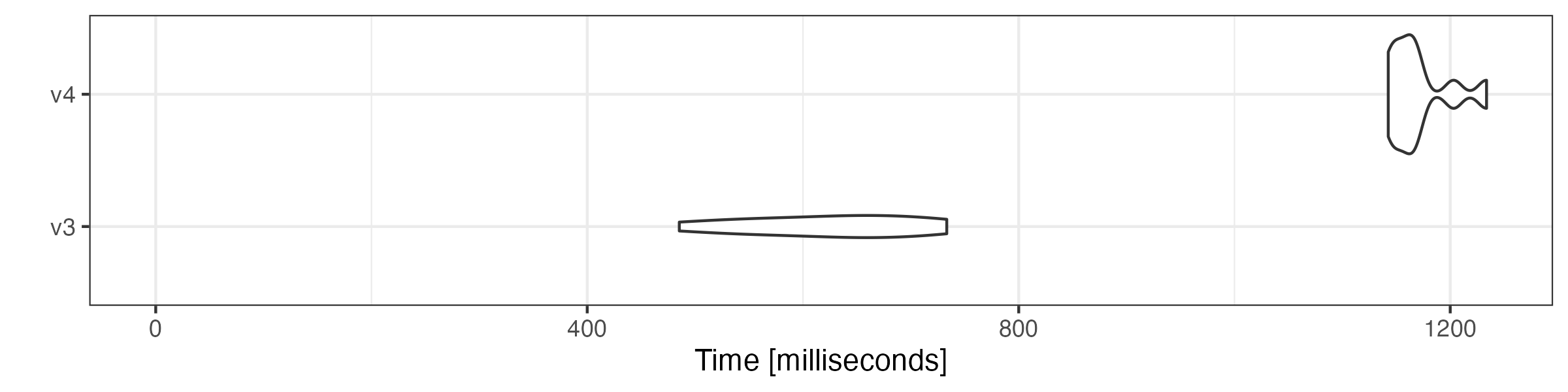
Simple pipeline
Selecting features, generating n-grams, grouping documents and creating a document-feature matrix.
microbenchmark::microbenchmark(
    tokens = toks |>
        tokens_remove(stopwords("en"), padding = TRUE) |>
        tokens_ngrams() |>
        tokens_group() |>
        dfm(remove_padding = TRUE),
    tokens_xptr = as.tokens_xptr(xtoks) |>
        tokens_remove(stopwords("en"), padding = TRUE) |>
        tokens_ngrams() |>
        tokens_group() |>
        dfm(remove_padding = TRUE),
    times = 10
) |> autoplot(log = FALSE)